
What Screen Size Smart TV Do You Actually Need?
The best smart TV screen size is not the biggest one on the wall. It depends on how far you sit, how wide…



The best smart TV screen size is not the biggest one on the wall. It depends on how far you sit, how wide the room is, and what you watch most. A 75-inch TV can look stunning in a living room and overwhelming in a bedroom. A 43-inch TV can be perfect on a desk and too small for movie night.
This guide explains how to choose a smart TV size for your home, so you buy a screen that fits the room instead of a size that only looks good in the store.
Viewing distance is the most useful number in a TV buying decision. Measure from where you sit to where the TV will hang or stand. That distance matters more than the diagonal size printed on the box.
If you sit too close to a large TV, you will move your eyes more, notice panel texture, and feel like the picture is too wide. If you sit too far from a small TV, text on apps looks tiny, sports lose detail, and the screen stops feeling cinematic.
A simple starting point for 4K smart TVs is about 1.2 to 1.6 times the screen diagonal. For a 55-inch TV, that is roughly 1.7 to 2.2 meters. For a 65-inch TV, it is about 2.0 to 2.6 meters. For a 75-inch TV, it is about 2.3 to 3.0 meters. These are guides, not hard rules. If you like a more immersive picture, sit closer or go larger. If you watch news and streaming apps more than movies, a slightly smaller size is often more comfortable.
A 32-inch or 43-inch smart TV works best in kitchens, guest rooms, dorms, and desks. These sizes are easy to place, cheaper to run, and less likely to dominate a small wall. They are also a good second TV if the main living room already has a larger screen.
A 50-inch or 55-inch smart TV is still the sweet spot for many apartments and compact living rooms. It is big enough for Netflix, YouTube, and weekend sports without forcing you to rearrange the whole room. If you sit around 2 meters away, 55 inches is often the size that feels right the first night you use it.
A 65-inch smart TV is the current mainstream pick for most family living rooms. It gives a clear upgrade from older 40-inch and 50-inch sets, especially in 4K. If your sofa is 2 to 2.5 meters from the wall, 65 inches usually fills your view without looking oversized.
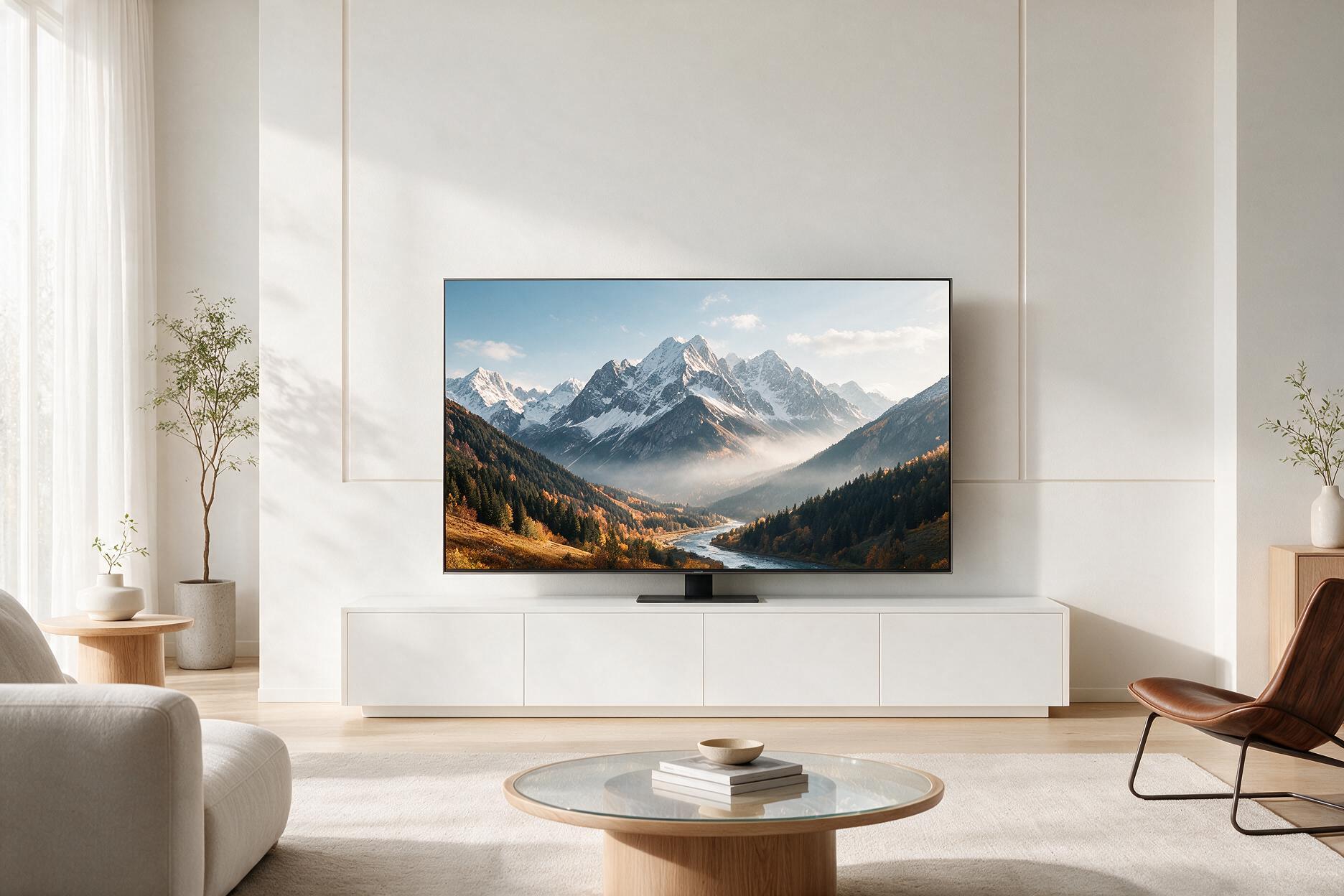
A 75-inch smart TV makes sense in a larger lounge, open-plan space, or dedicated media wall. It is excellent for movies, console gaming, and sports, but only if you have the distance and wall width. A 75-inch TV in a narrow room can feel like sitting in the front row.
An 85-inch smart TV and above is for wide rooms, home theaters, and buyers who already know they want a cinematic setup. Measure the wall twice before you buy. Cabinets, fireplaces, windows, and walkways often steal more space than people expect.
On older HD TVs, a bigger screen could look softer up close. 4K changed that. Extra pixels let you sit closer or buy a larger size without the picture falling apart as quickly. That is why 65-inch and 75-inch TVs feel more normal now than they did a few years ago.
If most of your content is 4K streaming, a larger 4K TV is easier to enjoy. If you still watch a lot of cable, older DVDs, or low-bitrate streams, a huge screen can make compression and noise more obvious. In that case, 55 inches or 65 inches may look cleaner than 75 inches from the same seat.
8K TVs exist, but screen size still matters more than the extra resolution for most homes. A well-placed 65-inch 4K TV will beat a poorly placed 85-inch 8K TV every time.
Movie and series fans usually prefer a larger screen because they want more of the frame in view. If movie night is the main reason you are upgrading, step up one size from what you think you need, as long as the wall and seating distance allow it.
Sports fans benefit from size too, especially for soccer, basketball, and F1, where you want to follow the whole field. A 65-inch or 75-inch TV makes crowd detail and score bugs easier to read. Just keep brightness and refresh rate in mind as well as diagonal size.
Gamers should match size to the play position. On a desk, 43 inches can already feel huge. On a sofa with a console, 55 inches to 65 inches is the comfortable range for most people. A 75-inch TV is exciting for cinematic games, but HUD text and menus can feel stretched if you sit close.
If the TV is mainly for news, recipes, or background TV, do not overspend on size. A 43-inch or 50-inch smart TV is often enough, and it leaves budget for a better panel, soundbar, or streaming stick.
The number on the box is the diagonal. The width is what has to fit on the stand or wall. A 55-inch TV is about 123 cm wide. A 65-inch TV is about 145 cm wide. A 75-inch TV is about 167 cm wide. Measure the cabinet, the gap between speakers, and the space around windows before you fall in love with a floor model.
Leave breathing room around the screen. A TV that runs edge to edge on a small stand looks cramped and is harder to ventilate. If you wall-mount, check that the center of the screen sits near eye level when you are seated. A giant TV mounted too high is one of the most common living room mistakes.
Also check the depth of the TV and any soundbar. Slim OLED and QLED sets look great, but cables, a soundbar, and a media box still need somewhere to go. Size is not only the panel. It is the whole setup on the wall.
Bedroom TVs are usually watched from closer range and from the side. A 43-inch or 50-inch smart TV is the safest default. A 55-inch TV can work in a large bedroom if the dresser is wide enough and you are not watching from the pillow at a sharp angle.
Kitchen and laundry TVs should stay small. A 32-inch or 43-inch set is easier to clean around, easier to mount under a cabinet or in a corner, and less distracting. Smart features still matter here, especially for YouTube, news, and music apps, but screen size should stay modest.
Kids rooms and guest rooms do well with 32-inch to 43-inch TVs. They cost less to replace, take less wall space, and are easier to control with parental settings. Save the 65-inch and 75-inch screens for the shared living room.
If you sit about 1.5 meters away, look at 43 inches or 50 inches. If you sit about 2 meters away, 55 inches is the most common fit. If you sit about 2.5 meters away, 65 inches is usually the sweet spot. If you sit 3 meters away or more, 75 inches starts to make sense. If the wall is wide and the room is built for movies, 85 inches can be worth it.
When you are between two sizes, buy the larger one only if the furniture, viewing distance, and budget all support it. A TV that is slightly too big is easier to live with than one that looks small the moment you get it home. A TV that is far too big is tiring, hard to place, and more expensive to replace if the size was the wrong call.
Screen size gets you in the room. Panel type, brightness, HDR, refresh rate, and smart OS decide whether the TV is actually enjoyable. A bright 55-inch QLED in a sunny lounge can beat a dim 75-inch TV with weak HDR. A 65-inch 120 Hz TV is a better gaming buy than a huge 60 Hz screen with poor input lag.
Sound is part of the size decision too. Bigger TVs do not automatically sound better. Many slim screens need a soundbar. If the upgrade budget is tight, a well-sized 55-inch or 65-inch TV plus a soundbar often feels more premium than stretching to 75 inches and keeping the built-in speakers.
What is the most popular smart TV size? For living rooms, 55 inches and 65 inches are the sizes most people should compare first. They fit typical sofas, typical walls, and typical 4K viewing distances.
Is a 65-inch TV too big for an apartment? Not if you sit around 2 to 2.5 meters away and the wall can take the width. It is too big if the stand is narrow, the room is short, or you watch from a dining chair at an angle.
Should I buy a 75-inch TV instead of 65 inches? Buy 75 inches if your seating distance is closer to 2.5 to 3 meters and the wall is wide enough. If you are unsure, 65 inches is the safer daily-use size.
Does 4K mean I can sit closer? Yes, compared with older HD TVs. 4K holds detail better up close, which is why larger screens work in more homes now. You can still sit too close, especially with a 75-inch or 85-inch TV.
What size smart TV is best for gaming? For a sofa and console, 55 inches to 65 inches is the most comfortable range. For a desk, stay around 43 inches unless you sit farther back than a normal monitor setup.
The screen size you actually need is the one that matches your seat, your wall, and your content. Measure viewing distance first. Check the width of the furniture second. Then choose 43 or 50 inches for small rooms, 55 or 65 inches for most living rooms, and 75 inches or more only when the space can handle it.
A smart TV should fill your view, not fight the room. Get the size right, and 4K, apps, and picture quality have a chance to do their job. Get the size wrong, and even a premium panel will feel like the wrong purchase.



By subscribing you agree to our Terms & Conditions and Privacy & Cookies Policy.