Top Washing Machine Features You Should Know Before Buying
Buying a washing machine is no longer just about picking the cheapest model on the shelf. A good machine can save time, cut…



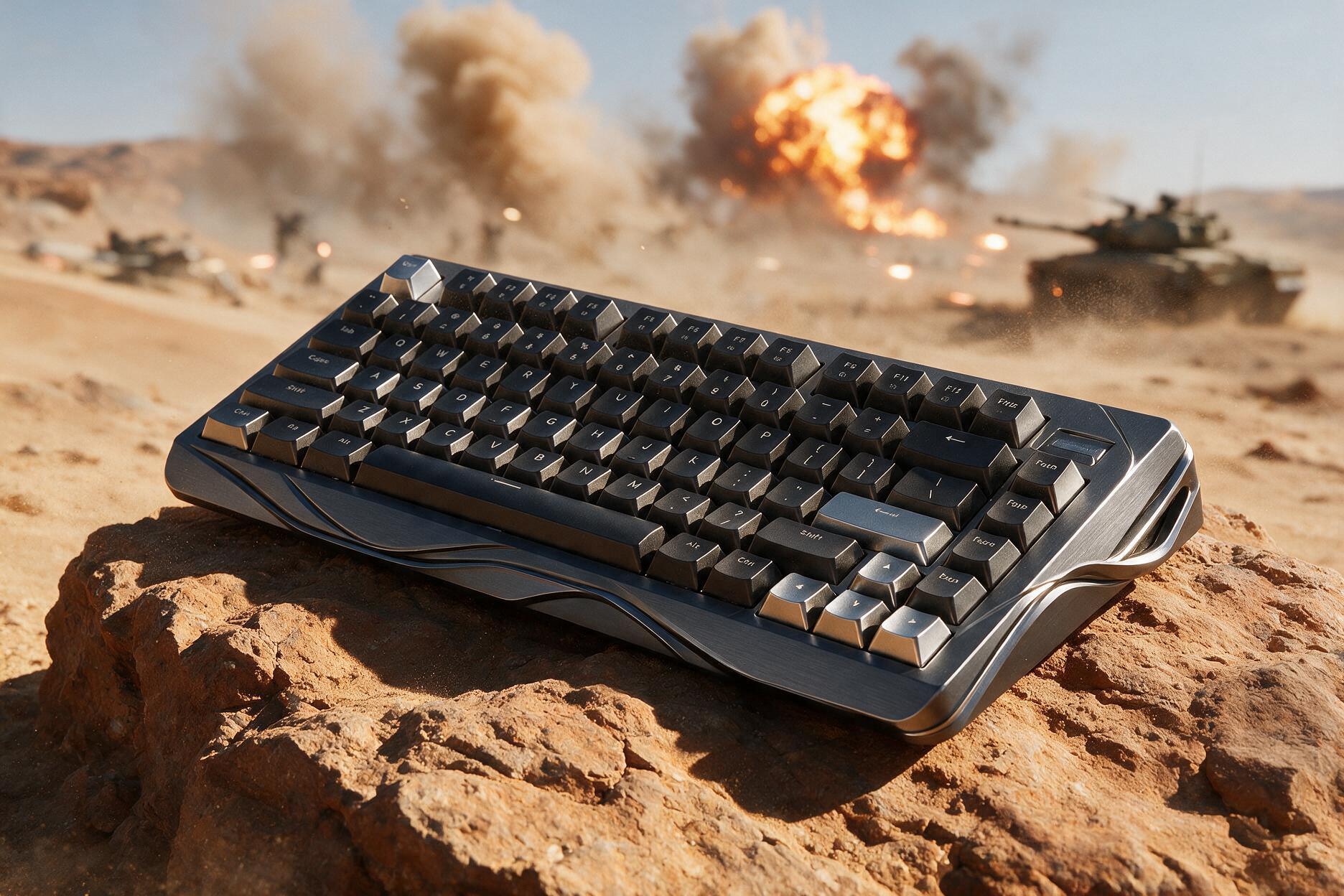
The Keychron K8 Ultra 8K is a tenkeyless mechanical keyboard built for people who want one board for office work and PC gaming. It keeps the familiar 80% layout, adds an 8,000 Hz polling rate over USB-C and 2.4 GHz, and promises up to 760 hours of battery life with the backlight off.
At $119.99, it sits in a crowded mid-range. Hall Effect boards now dominate competitive gaming, while custom kits chase sound and foams. The K8 Ultra 8K takes a different path: traditional hot-swap switches, a metal frame, ZMK firmware, and wireless speed that used to cost a lot more.
This is an 80% TKL ANSI keyboard that measures 359.2 x 129.2 mm, with a 25.55 mm front height and a weight of 1,299 g. The frame is aluminum with an ABS bottom case, and it uses a steel tray-mount plate. Stock switch options are Keychron Apex Red, Brown, or Banana, and the PCB is hot-swappable for 3-pin and 5-pin MX-style switches. The keycaps are double-shot PBT in OSA profile.
Polling rate is 8,000 Hz over wired USB-C and 2.4 GHz, and 125 Hz over Bluetooth. Connectivity includes USB-C, 2.4 GHz, and Bluetooth 5.2 with three devices. Keychron claims up to 760 hours with the backlight off and up to 230 hours with RGB at the lowest brightness. Firmware is ZMK through the Keychron Launcher web app. Lighting is south-facing RGB with more than 22 presets and per-key control. It works with Windows, macOS, and Linux, and the price is $119.99.
The K8 Ultra 8K looks cleaner than older Keychron K-series boards. The aluminum frame gives it a more premium outline, while the ABS bottom keeps the weight from getting extreme. At almost 1.3 kg, it still feels planted. It does not slide around during fast WASD movement, which is what you want from a TKL gaming keyboard.
The tenkeyless layout is the practical choice for most desks. You keep F-keys, arrows, and the nav cluster. You lose the numpad, which frees space for a mouse. That makes it a strong fit for FPS, productivity, and mixed Mac plus Windows setups.
The typing angle is a little taller at the front than some low-profile boards. If you like a flatter board, you may want a wrist rest. If you already use a full-size or TKL Keychron, the K8 Ultra should feel familiar within a day.
Keychron ships the K8 Ultra 8K with its own Apex switches. They use a box stem instead of a classic MX stem, with a clearer housing and pre-lube from the factory. The box design is meant to cut wobble and keep dust out of the stem.
Apex Red is linear, 45 g, and 4 mm of travel, which makes it the best pick for gaming and smooth typing. Apex Brown is a soft tactile switch at 50 g and 4 mm, better if you want feedback without extra noise. Apex Banana is a sharper tactile at 55 g with 3.6 mm of travel, better if you want a stronger bump and a slightly shorter press.
These are not Hall Effect switches. There is no Rapid Trigger, no adjustable actuation, and no analog input. Competitive players who live in Valorant or CS2 may still prefer a magnetic board. Everyone else gets a more traditional mechanical feel and a much wider aftermarket.
The PCB is hot-swappable for 3-pin and 5-pin MX-style switches. That is the real long-term value. If the stock Browns feel inconsistent, you can drop in Gateron, Cherry, Kailh, or whatever you already own. Keychron includes a switch and keycap puller, so the first swap is easy.
The stock PBT double-shot OSA keycaps are a step up from cheap ABS sets. Texture holds up better, legends should not shine as fast, and the profile works for both typing and gaming. Sound is on the solid, tray-mount side rather than thocky gasket-mount custom. It is controlled, not hollow, and better than most plastic gaming TKLs at this price.
The headline feature is an 8,000 Hz polling rate over wired USB-C and 2.4 GHz wireless. Bluetooth stays at 125 Hz, which is fine for email and meetings, not for ranked shooters.
8K polling means the keyboard reports input up to eight times more often than a 1,000 Hz board. In theory, that can cut delay. In practice, most people will not feel a night-and-day change unless they already notice 1 ms differences. What you will notice is that 2.4 GHz no longer feels like the slow option. Wireless gaming on this board is the main use case, not a backup mode.
You can also drop polling to 2,000 Hz or 1,000 Hz if you want to save battery or keep things simple. For office work, 1,000 Hz is plenty. For competitive play, 8K on 2.4 GHz is the mode Keychron wants you to use.
Triple-mode connectivity is still one of Keychron’s strongest selling points. USB-C covers charging and wired play. The 2.4 GHz dongle covers low-latency gaming. Bluetooth 5.2 covers up to three devices, which is ideal if you jump between a Windows PC, a MacBook, and a tablet.
Battery life is the other big upgrade. Keychron moved this series to ZMK firmware and a large 4,000 mAh cell. Official numbers are up to 760 hours with lighting off and up to 230 hours with RGB at the lowest brightness, even with 8K enabled. Those are claimed figures, not a lab guarantee, but they are far ahead of older Keychron wireless boards that died after a few days of RGB.
You can also use the keyboard while it charges. For a work-and-game TKL, that matters more than peak polling. A keyboard that lasts weeks between charges is easier to live with than a 8K board that needs the cable every night.
There is no heavy desktop suite to install. Keychron Launcher is a web app for remapping, macros, RGB, and firmware. That is cleaner than most gaming brands, and it works well if you use more than one OS.
You get 22-plus lighting presets, per-key RGB, and Mix RGB for split effects. South-facing LEDs shine through the keycaps more evenly than north-facing setups on many Cherry-profile caps. If you hate RGB, turn it off and keep the battery for weeks.
ZMK is the bigger deal for tinkerers. Open firmware means deeper keymap control than a locked gaming board. Most buyers will stay inside Launcher. Enthusiasts get a path to customize without soldering a new PCB.
Keychron still does Mac better than most gaming brands. The K8 Ultra 8K is built to work with Windows, macOS, and Linux, with the usual Command and Option layout support. If your store sells to mixed office and creator setups, that is a real advantage over RGB boards that treat Mac as an afterthought.
For writing, spreadsheets, and Discord, Bluetooth is enough. For games, switch to 2.4 GHz. The TKL cluster keeps screenshot, volume, and nav keys in reach, which is why this layout still sells better than 65% for a lot of PC users.
The K8 Ultra 8K is a strong buy if you want a TKL keyboard for both work and gaming, fast 2.4 GHz wireless without giving up Bluetooth, hot-swap switches and PBT keycaps around $120, long battery life with a metal frame, and Mac plus Windows support in one board.
Skip it if you want Rapid Trigger or Hall Effect analog input, a gasket-mount custom sound signature, a full-size numpad, or the cheapest membrane or hot-swap TKL on the shelf.
Against magnetic 8K boards, the K8 Ultra loses on actuation tricks and wins on switch choice. You can keep using the MX ecosystem. Against older Keychron K8 and K8 Pro models, the Ultra is the one to buy: better firmware, better wireless polling, better battery, and a cleaner metal-frame look.
Against $80 plastic TKLs, the extra money goes to build, battery, and 8K wireless. Against $200 custom kits, you give up layers of foam and a more refined acoustic tune. For a store floor keyboard that has to work out of the box, $119.99 is the right range.
The main strengths are 8,000 Hz polling on wired and 2.4 GHz, excellent claimed battery life with ZMK, hot-swap Apex switches and PBT keycaps, an aluminum frame with a stable TKL layout, a web-based Launcher with no bloated desktop app, and strong Mac, Windows, and Linux support.
The drawbacks are the lack of Hall Effect Rapid Trigger features, a tray mount that sounds less premium than gasket customs, stock Brown switches that can feel uneven compared with the Reds, Bluetooth limited to 125 Hz, and the fact that 8K is a nice extra rather than a must-have for every buyer.
Is the Keychron K8 Ultra 8K good for gaming? Yes, if you want fast wireless and a TKL layout. Use 2.4 GHz at 8,000 Hz for games. If you need Rapid Trigger, look at a Hall Effect keyboard instead.
Does the K8 Ultra 8K work with Mac? Yes. It supports macOS as well as Windows and Linux, with Bluetooth multi-device switching for a Mac and PC setup.
Can you change the switches? Yes. The board is hot-swappable for 3-pin and 5-pin MX-style switches. You are not locked into the stock Apex Reds, Browns, or Bananas.
How long does the battery last? Keychron claims up to 760 hours with the backlight off and up to 230 hours with RGB at the lowest brightness, including 8K mode. RGB at higher brightness will drain it faster.
Is 8K polling worth it on a keyboard? It is a bonus, not the whole reason to buy. The better story is that 2.4 GHz now matches wired speed, while Bluetooth still covers office devices. Most typists will be happy at 1,000 Hz.
The Keychron K8 Ultra 8K is not trying to beat magnetic esports boards at their own game. It is trying to be the TKL you can leave on the desk all week: fast when you play, quiet enough to type, customizable when the stock switches get old, and wireless without constant charging.
At $119.99, that mix is easy to recommend. Get the Apex Reds for gaming, Bananas if you like a stronger tactile bump, and skip Browns if reviews of inconsistency bother you. If you need Rapid Trigger, look elsewhere. If you need one solid 8K wireless TKL for PC and Mac, the K8 Ultra 8K is one of the best options in its price range.

By subscribing you agree to our Terms & Conditions and Privacy & Cookies Policy.